
Git Shortcuts
What are shortcuts?
A Git shortcut is a set of Git commands combined into a single script. It allows you to execute several sequential commands with a single click, greatly simplifying your work.
Let's say you're working on a task and, once finished, want to switch to the next one, or maybe you've already switched but haven't yet managed to switch branches. The sequence of actions would then be something like this: stash -> switch branch to master -> fetch -> pull -> create new branch -> push new branch -> apply stash. That's a lot of steps, and each one takes a few seconds to complete. With Git shortcuts, you no longer need to worry about this.
Create first shortcut
Click Add Shortcut. A creation window will open.
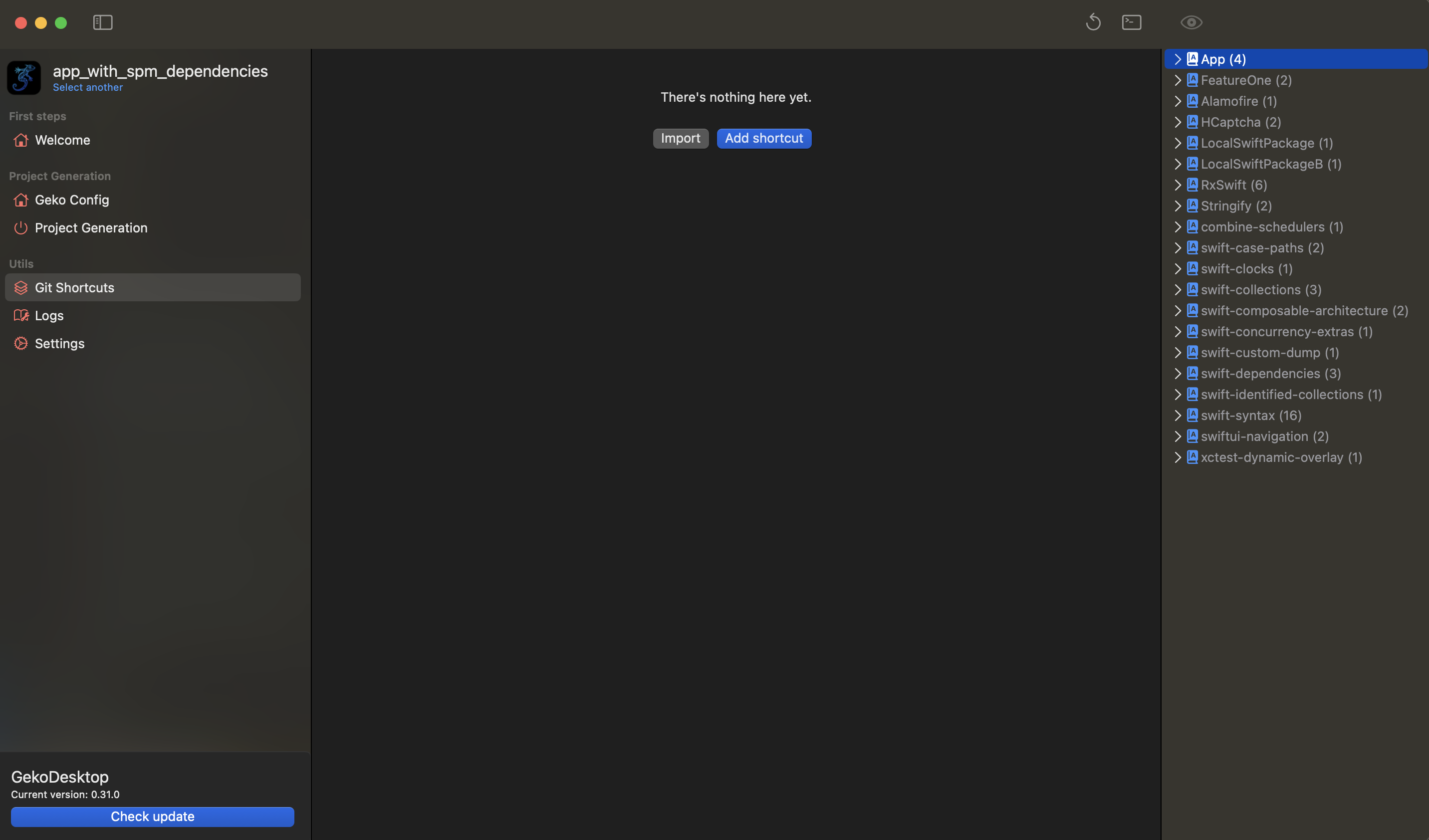
You can enter a name, description and create a list of commands.
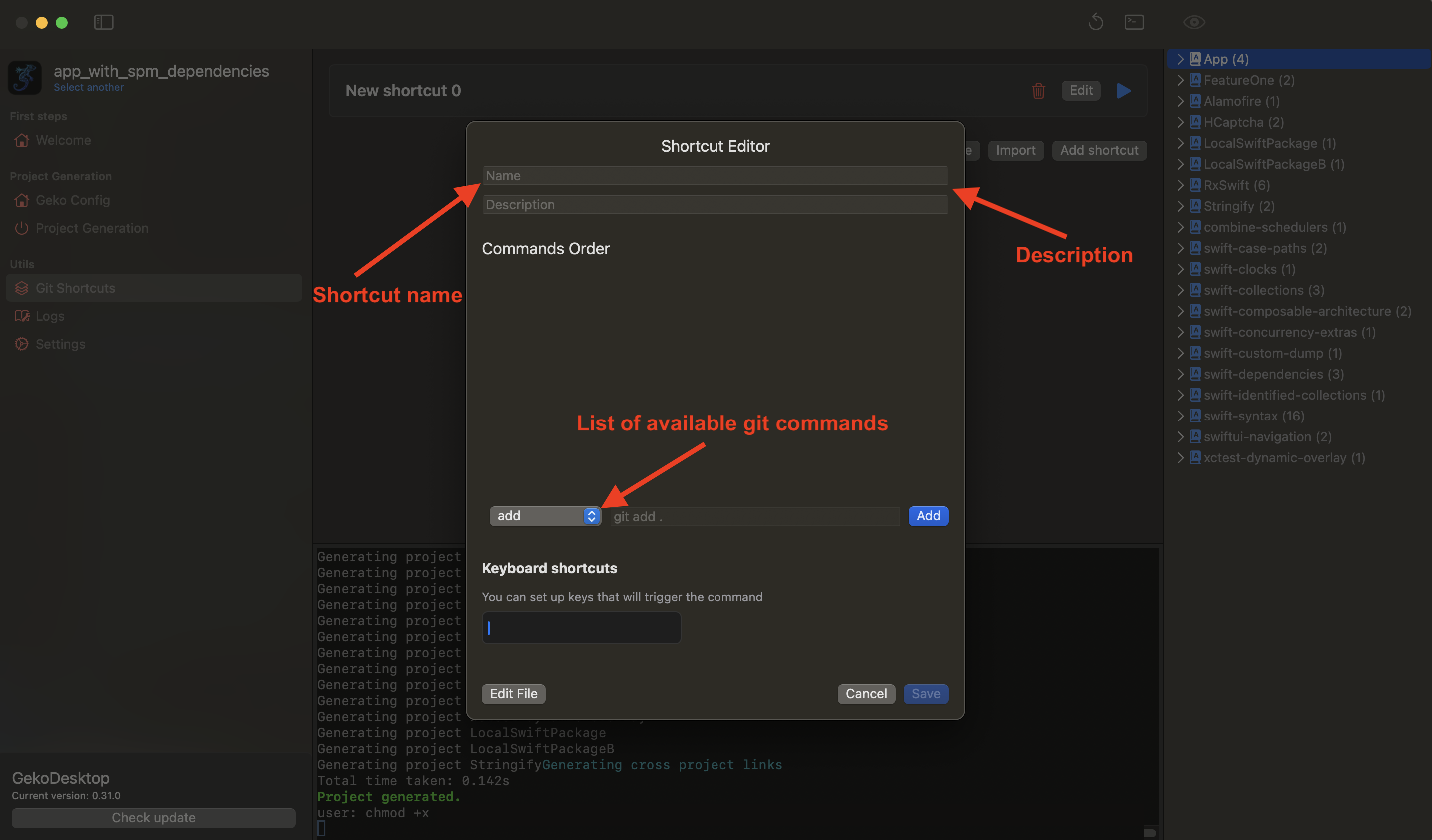
At the bottom there is a drop-down list with available basic git commands.
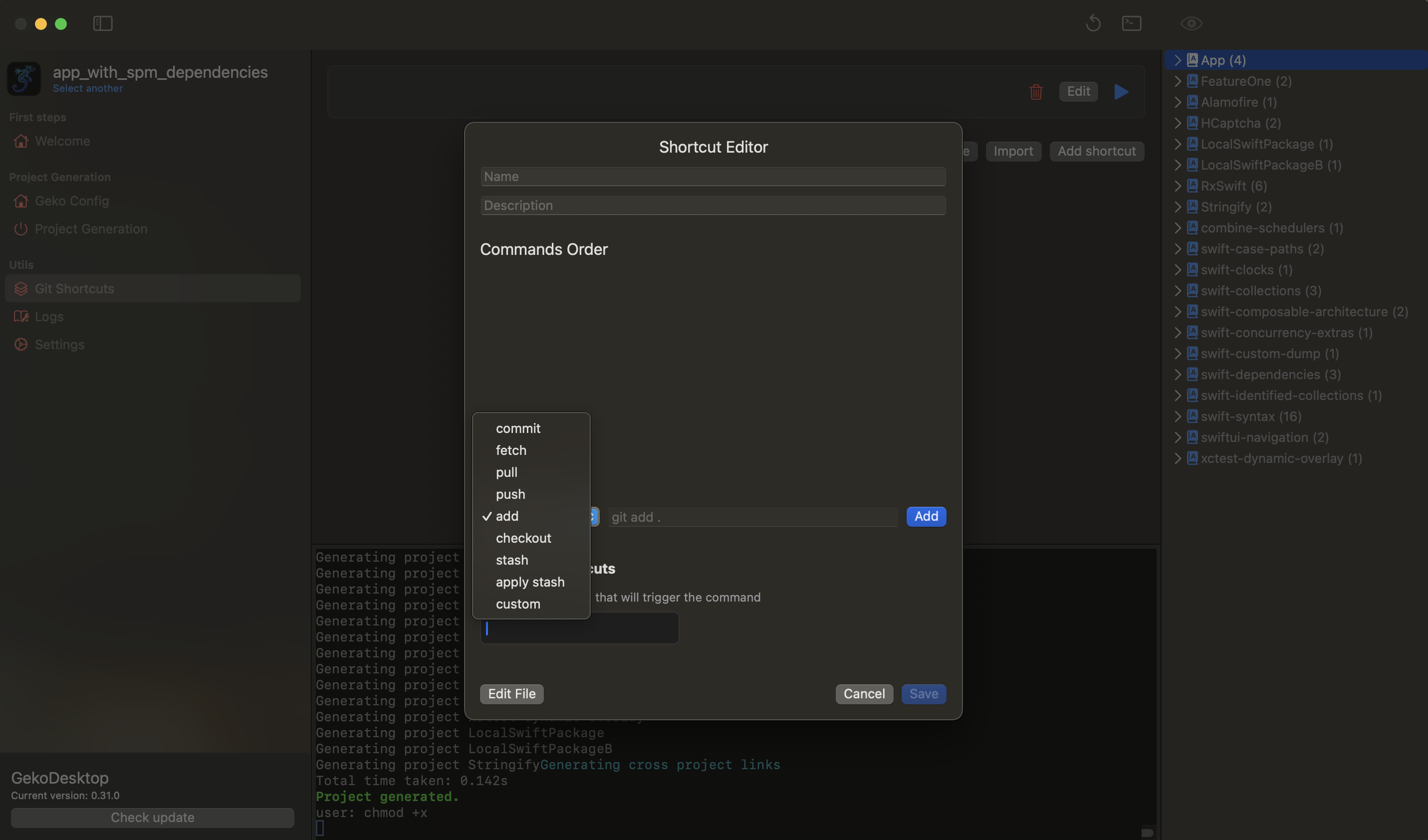
A list of commands appears in the middle of the window. You can edit, move, and delete them. New commands are added after the currently selected command.
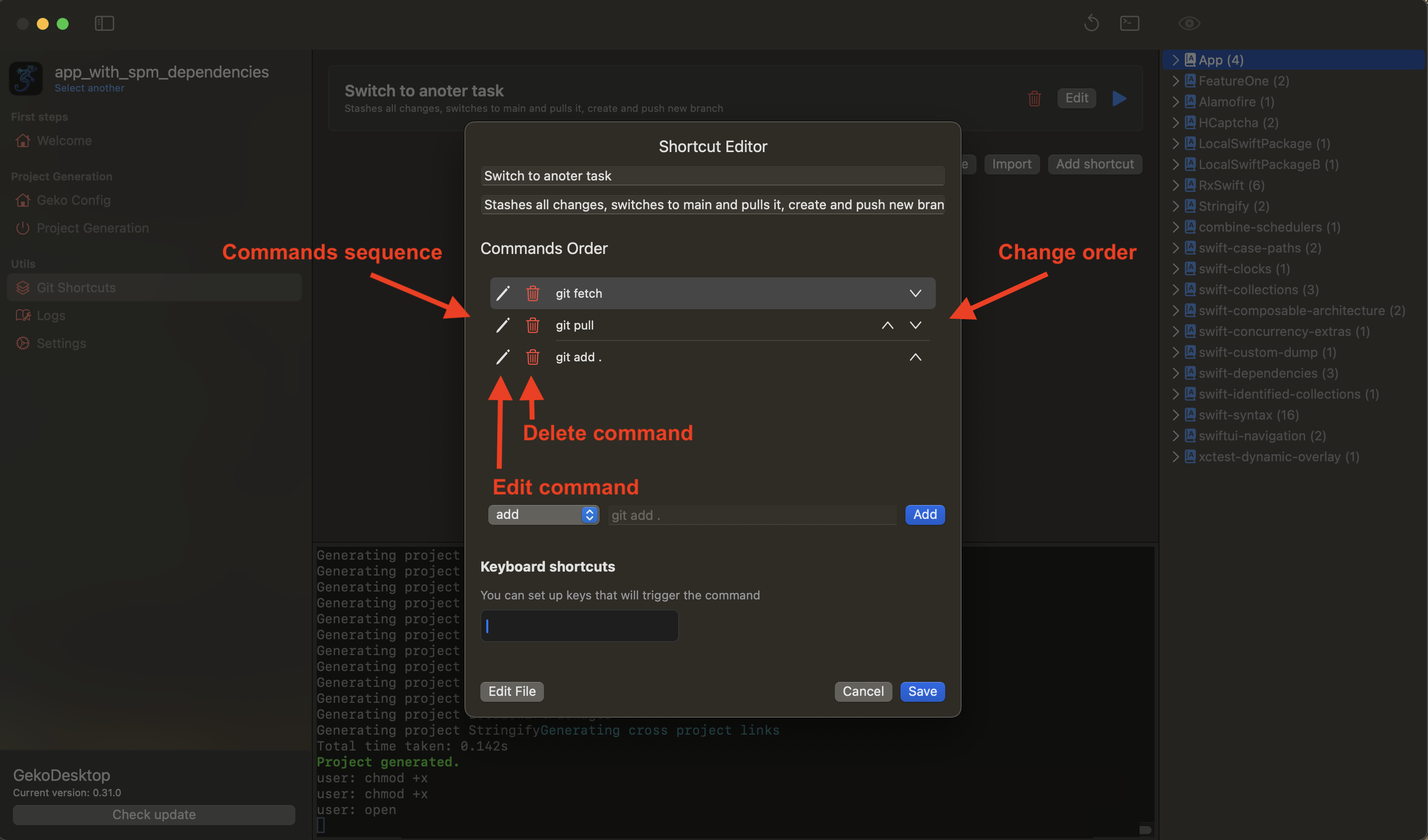
You can click Edit File and edit the raw bash file.
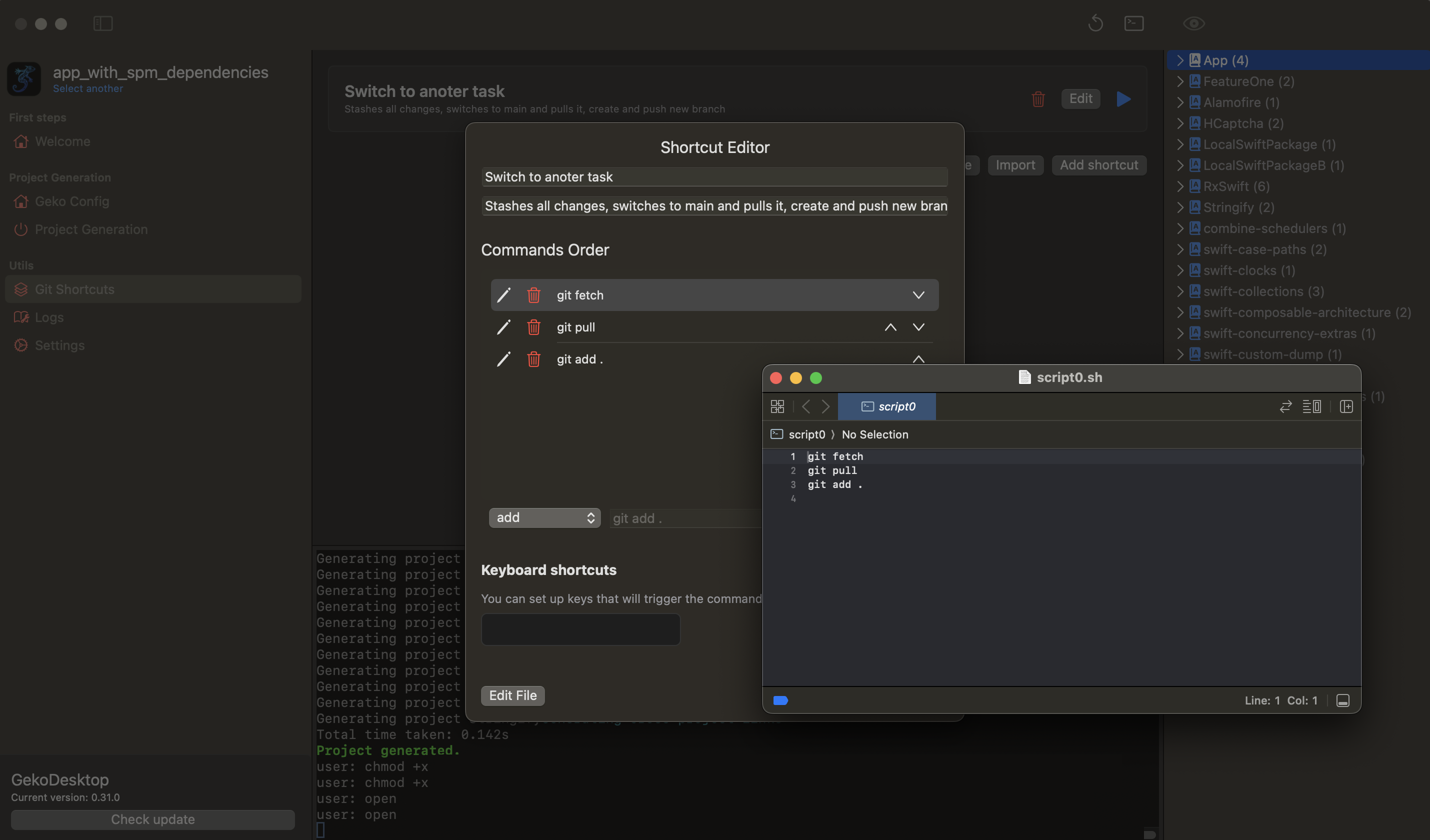
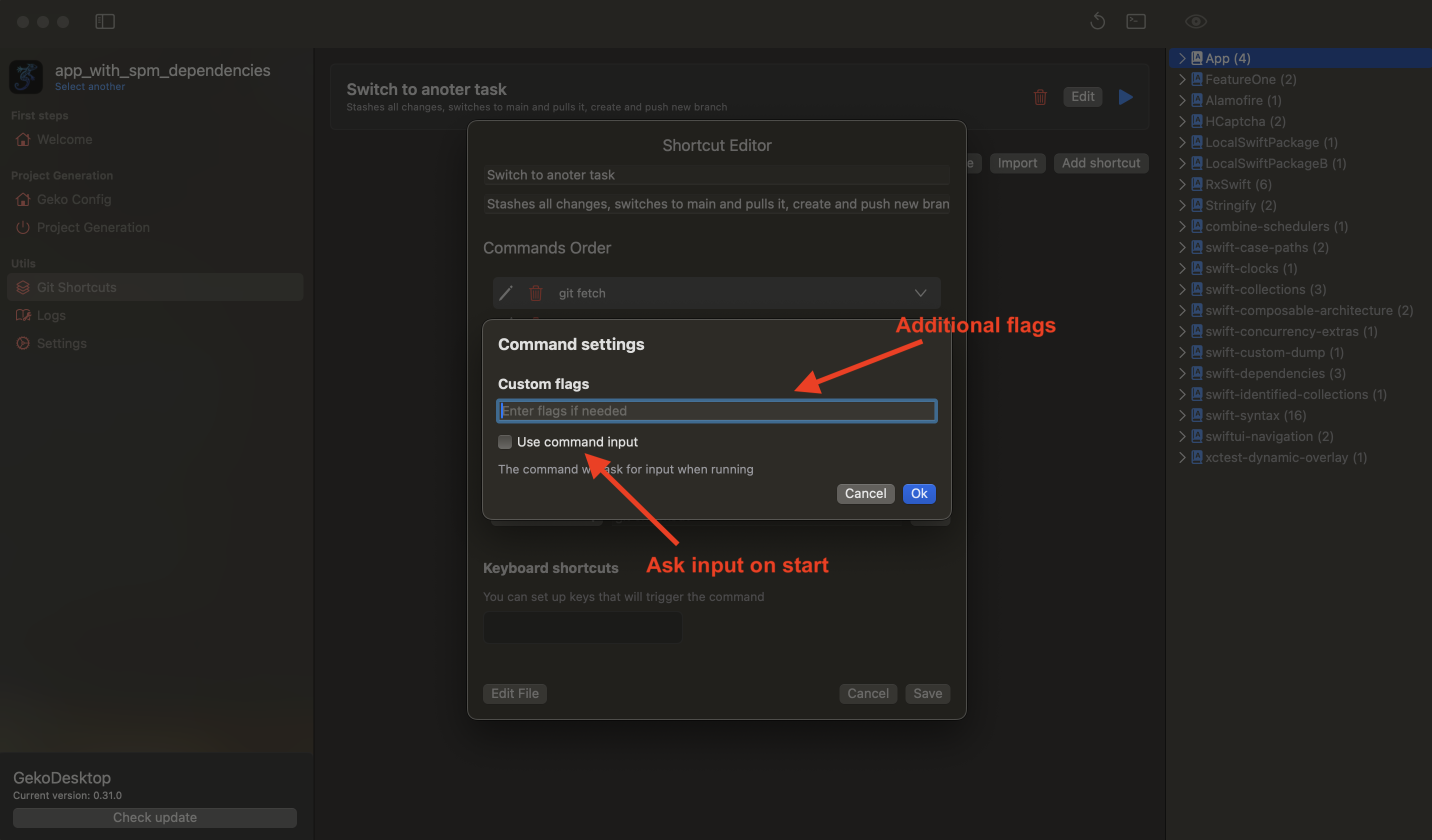
After clicking Add next to the command, a window with the command settings opens. Here you can add additional flags and input. Below is the Use command input button. Checking this means the shortcut has an input that will be asked for each time it's launched. In the example above, this is the name of the new branch.
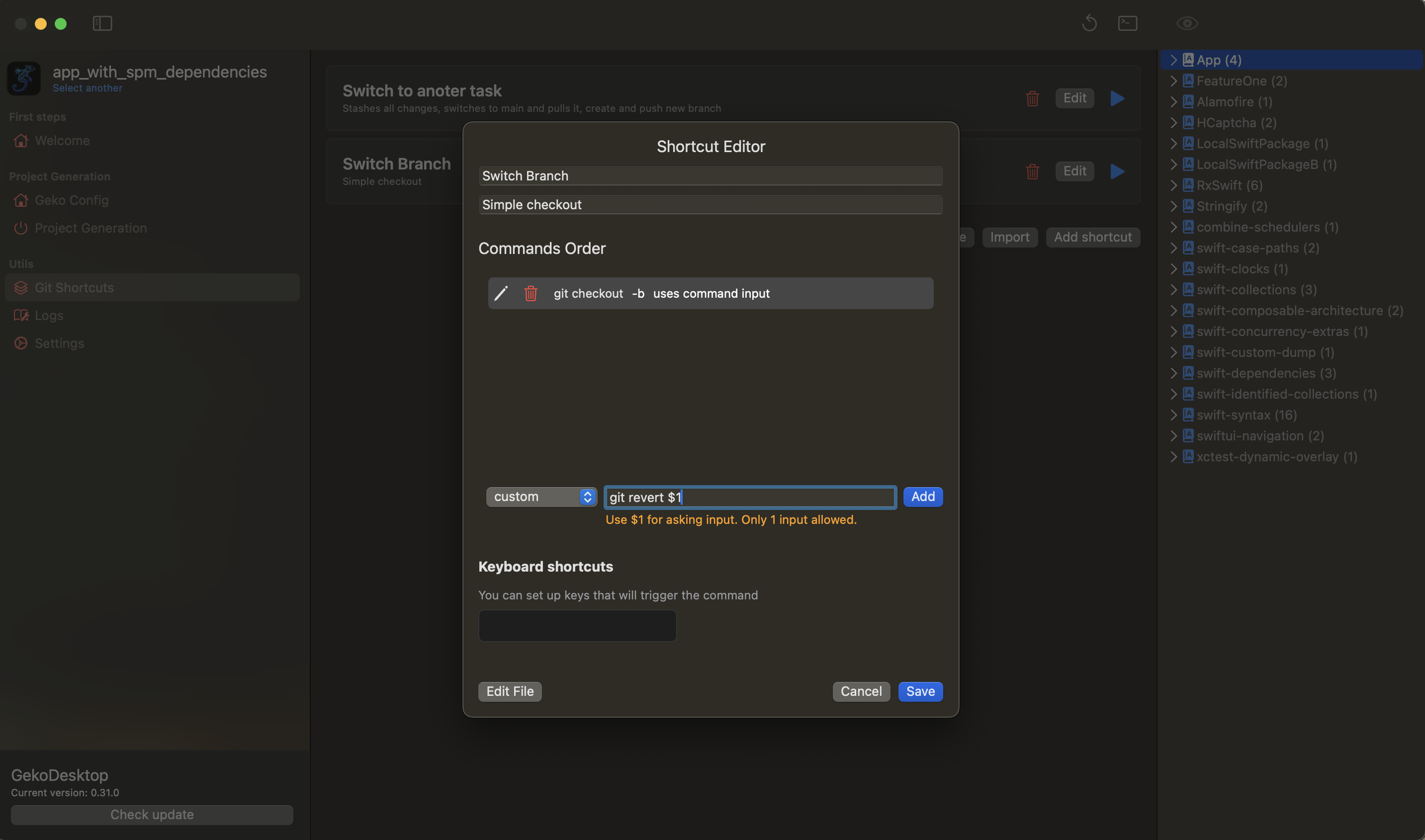
You can also add a custom command with your own text. To make the command ask for input upon startup, you can enter $1 - this will be filled in with the input upon startup. There can only be one input for the entire command sequence.
After generating the list of commands, click Save.
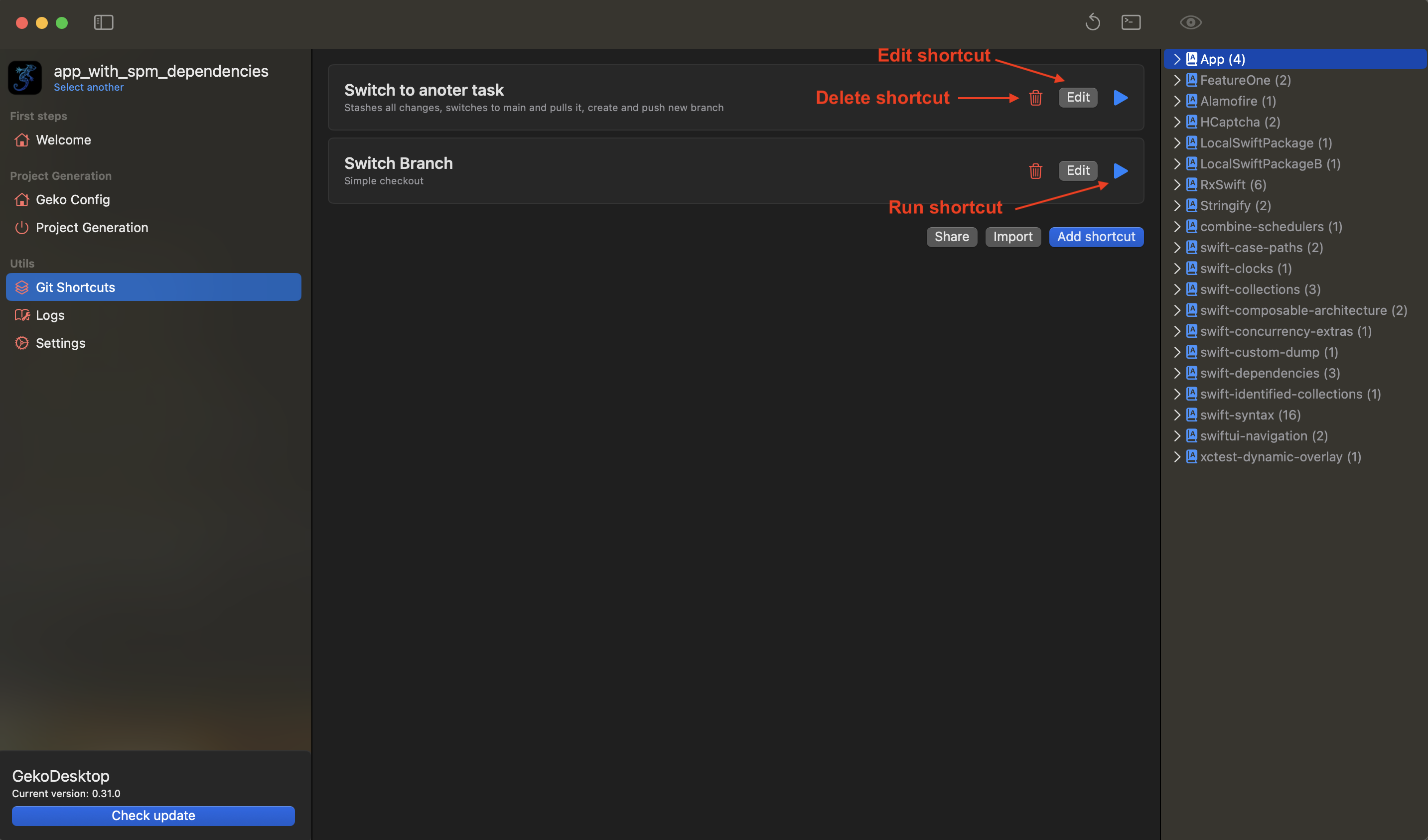
A list of shortcuts will be displayed here. You can also edit or delete a shortcut. To launch it, click the button:
If the team has input, it will ask for it:
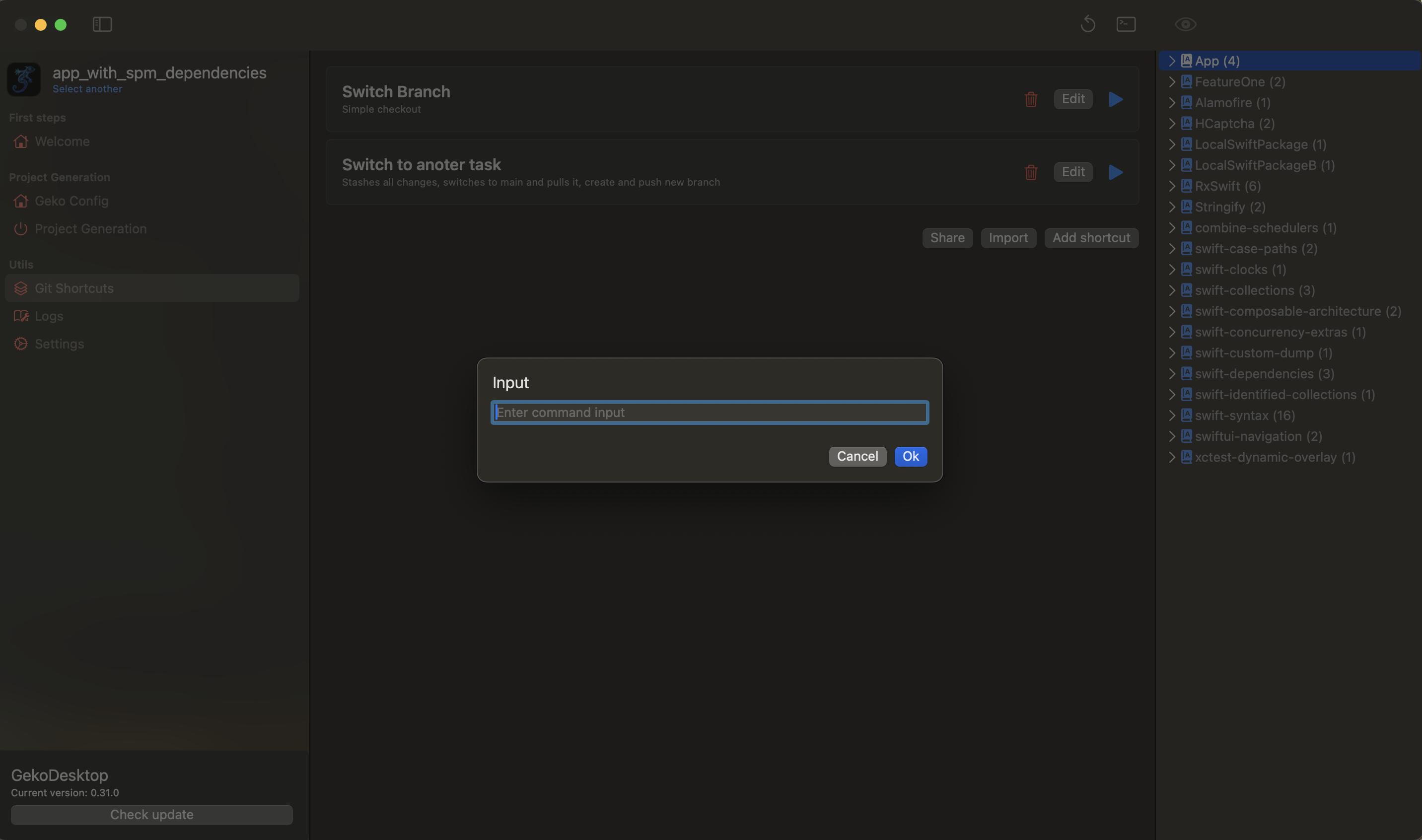
The result will be displayed in the terminal.
An example of creating a Git shortcut
Let's take an existing example from the Git shortcuts documentation. I've completed work on issue TICKET-12345 and am taking issue TICKET-45678. I need to perform a series of Git actions that take some time. For example, I'm using a fork that throws errors if I start a new action while the previous one is loading.
The entire process of switching to a new task takes 30 seconds to a minute and is sometimes exhausting.
Let's try to automate this.
- Tap Add shortcut
- Enter the name "Switch to another task"
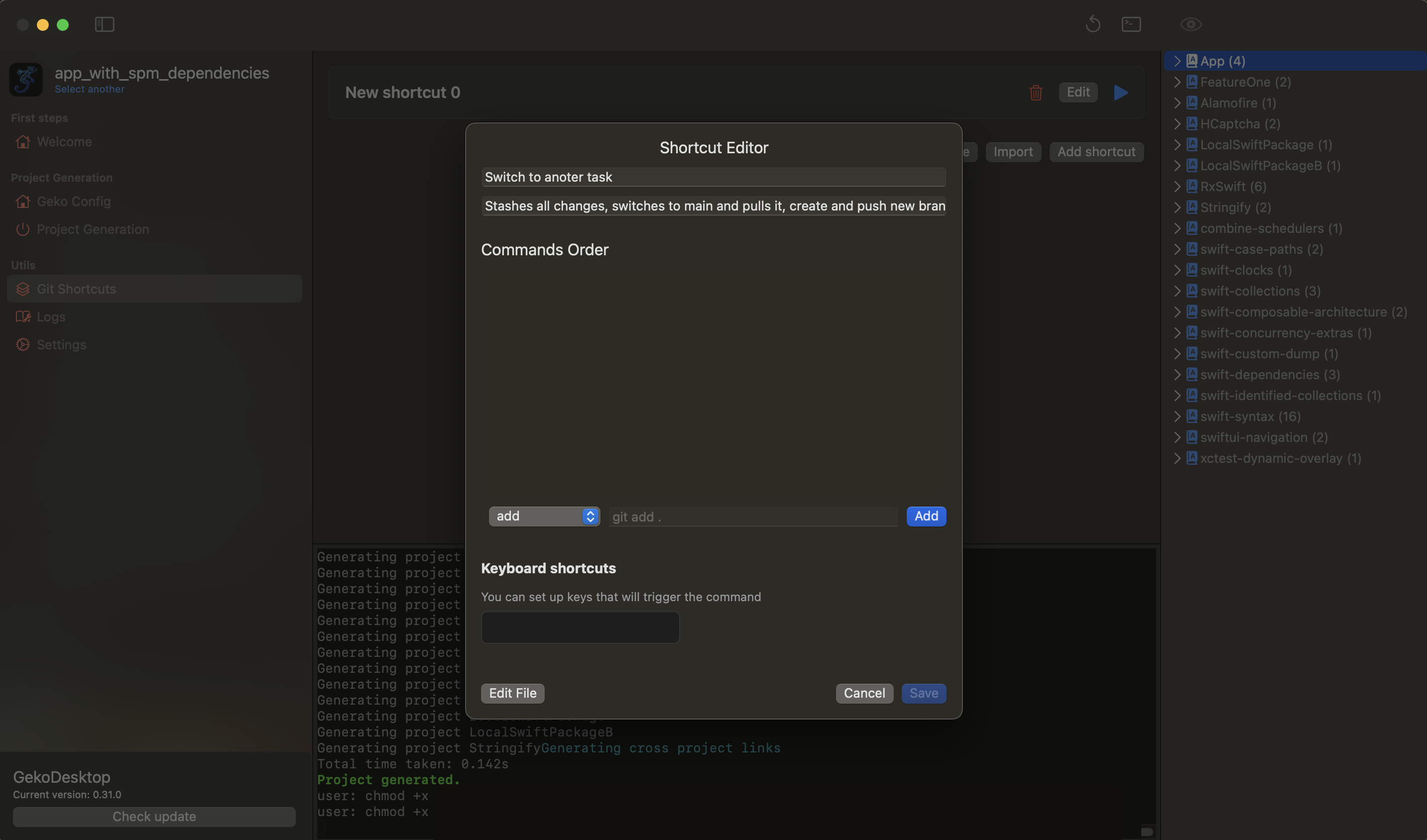
- Adding commands
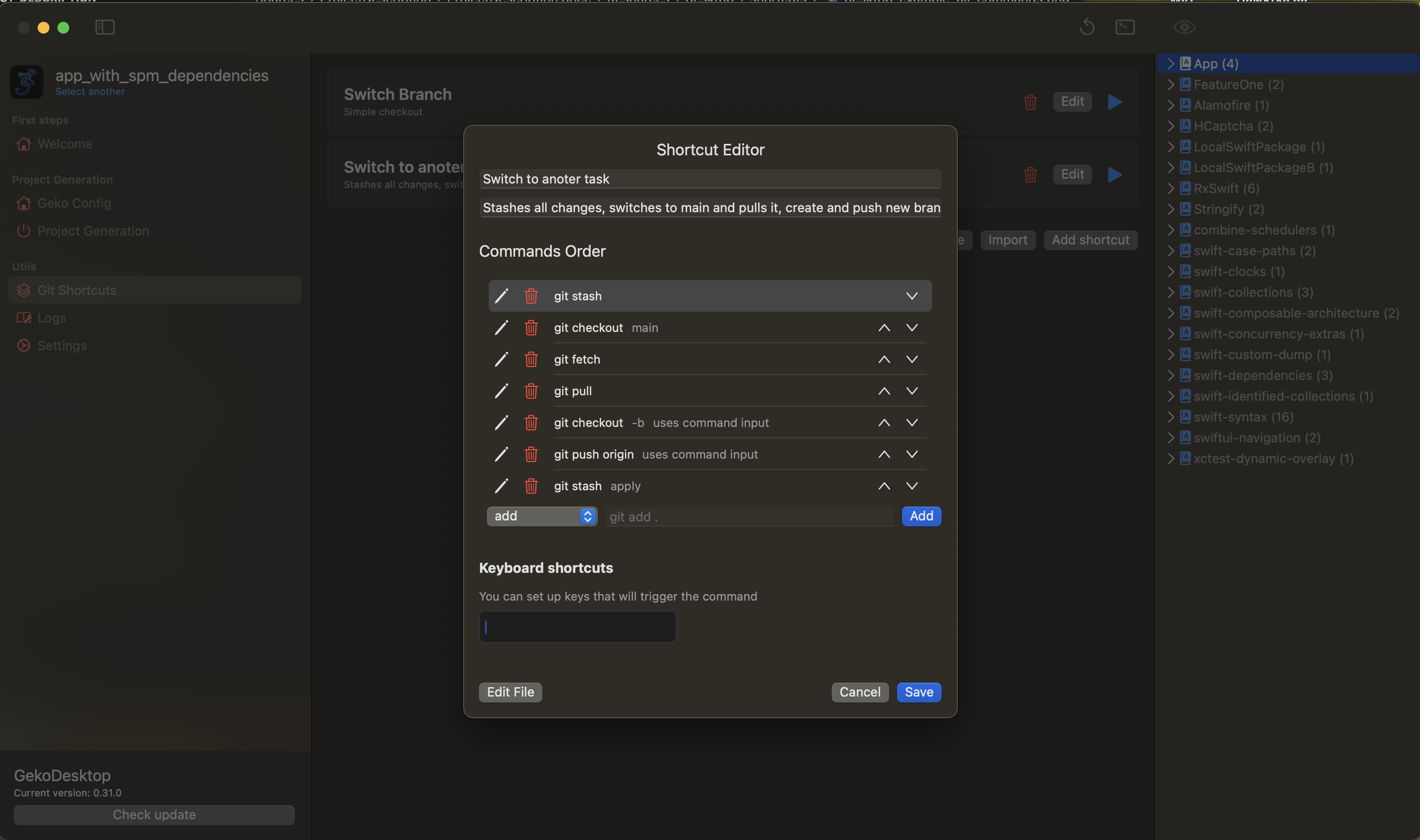
- For
git checkoutyou need to specify the input when running the command and the-bflag.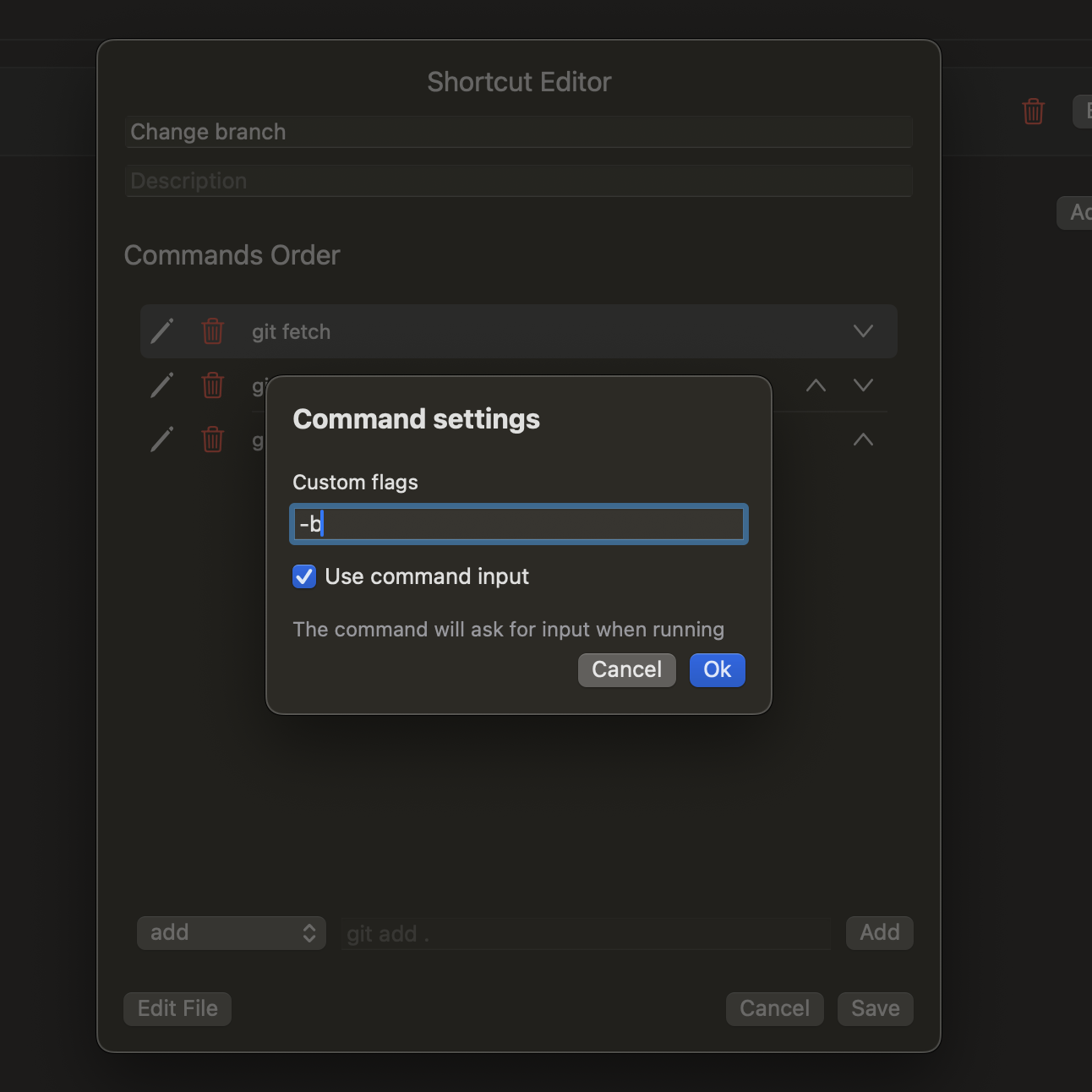
- For
git pushwe also use input - This is the script we got.
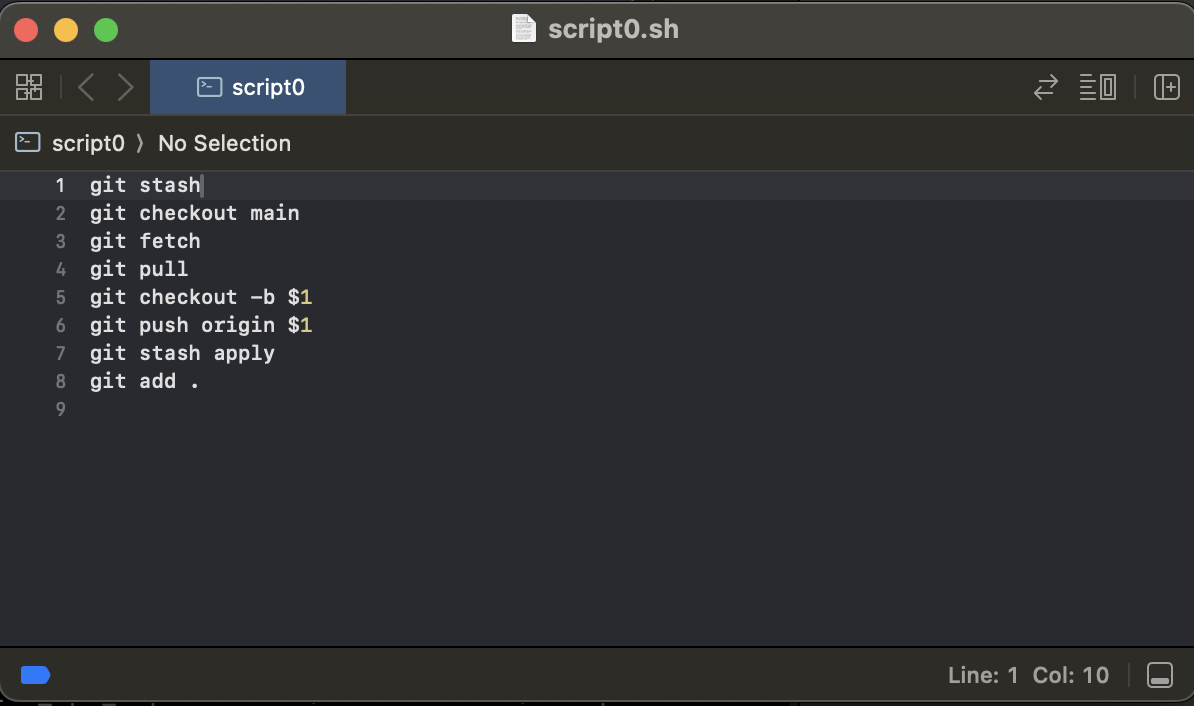
- Tap Save
- The command has appeared in the list. Let's run it.
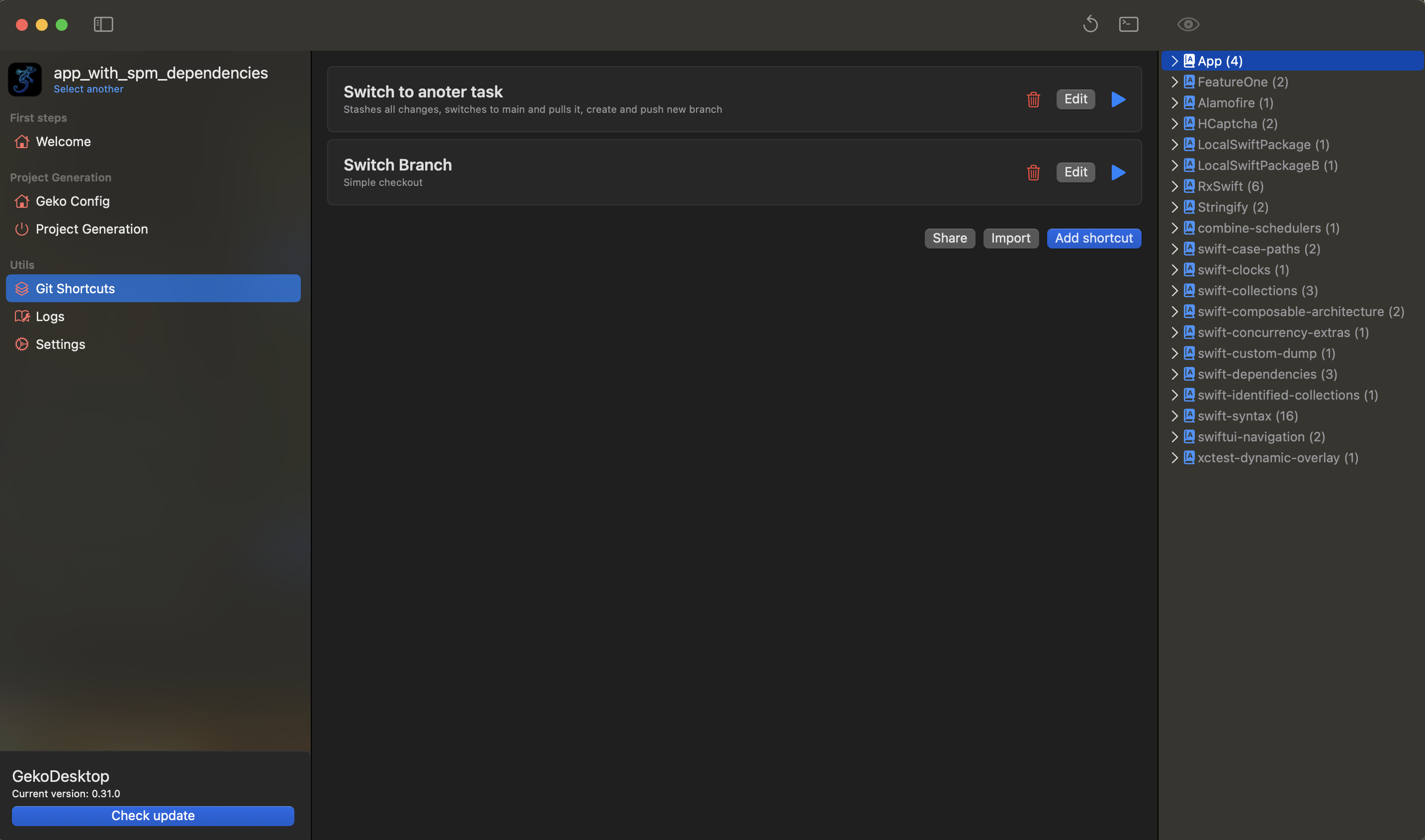
- The command asks for input, enter the name of the new branch
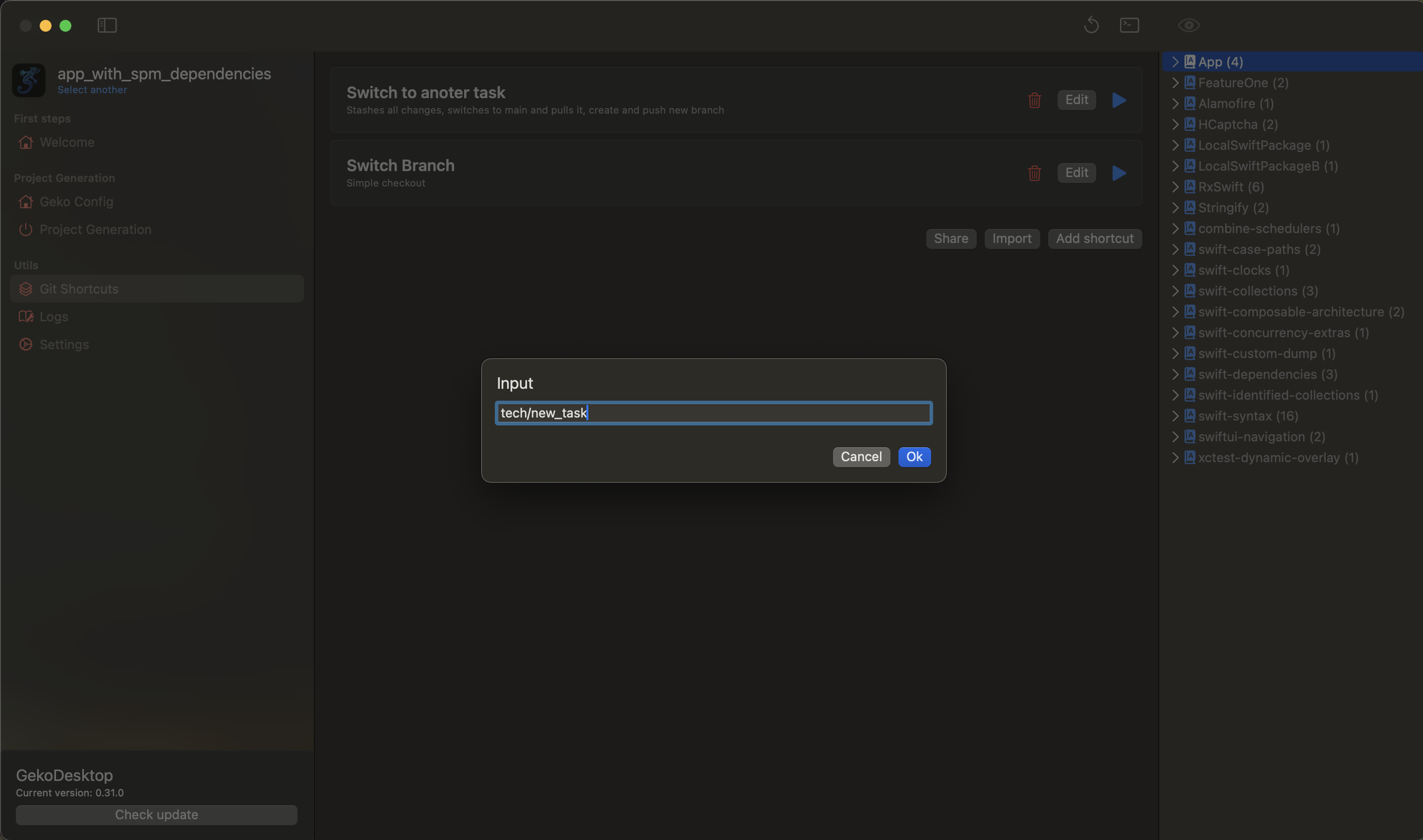
- That's all 😃